
Code navigation for large C codebases,
without a build
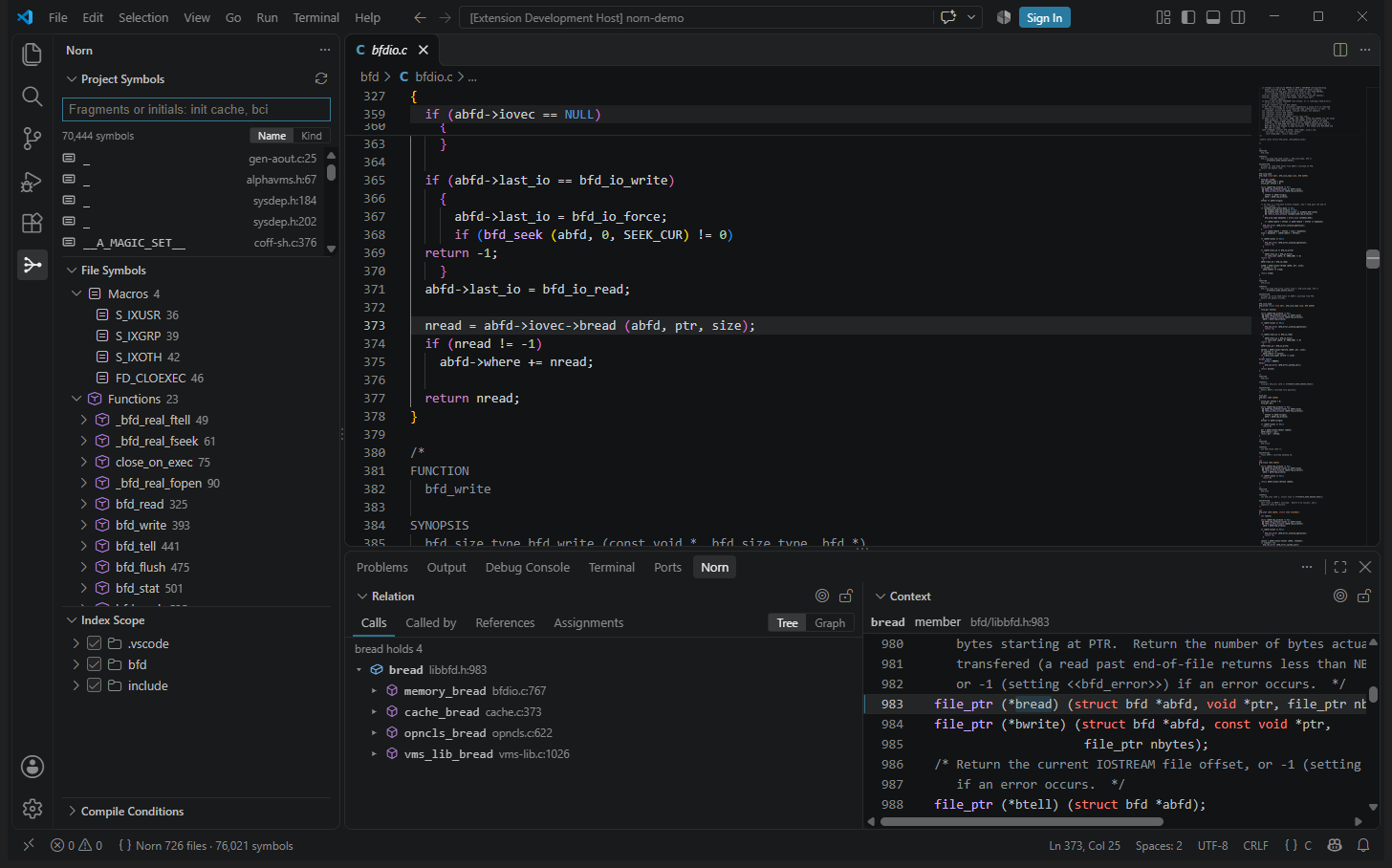
Source Insight-style navigation in VS Code. No compile_commands.json. Calls through macros and function pointers, and only the code your build compiles.
or code --install-extension humphrey0925.norn-c · Windows, Linux, macOS · x64 & Arm64
Why Norn
Language servers built on a compiler, such as clangd, need to know exactly how every file is compiled. A great deal of real C cannot tell them: firmware built with a proprietary toolchain, SDKs with a header per chip, vendor trees that only build on one machine. Text indexers such as ctags and cscope work anywhere, but they find names, not calls. Norn reads the sources the way a person would, and the build's own description where there is one.
No setup
Open a folder. Norn reads Arm DS-5, Keil, IAR, Visual Studio, CMake, Makefile, PlatformIO, Kconfig or compile_commands.json and works out which #if branches are compiled.
Calls, not just names
It follows calls through macros and through function pointers stored in structs, and says how each call comes about.
Fast enough to forget about
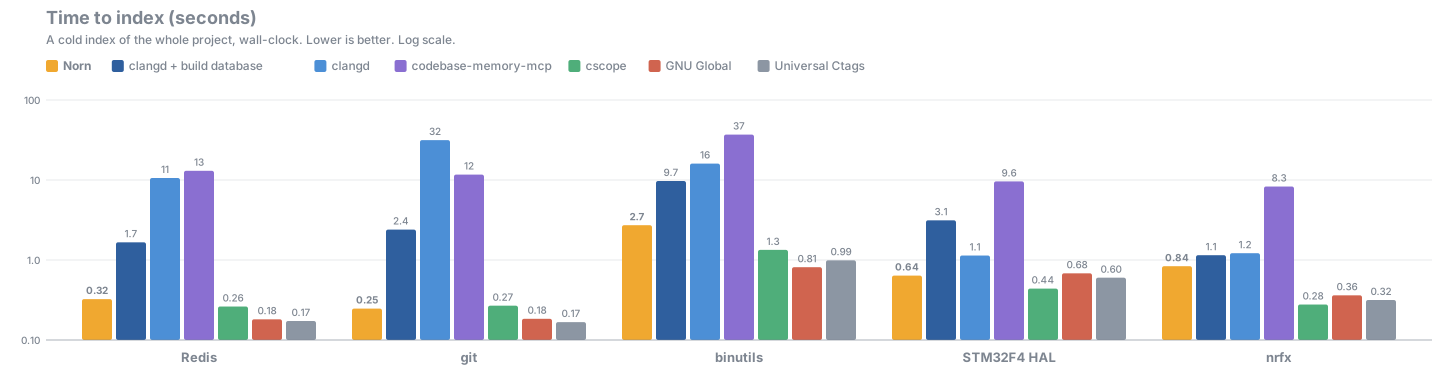
The whole Linux kernel indexes in about a minute on a desktop PC; saving a file updates the index in milliseconds.
Checked against the compiler
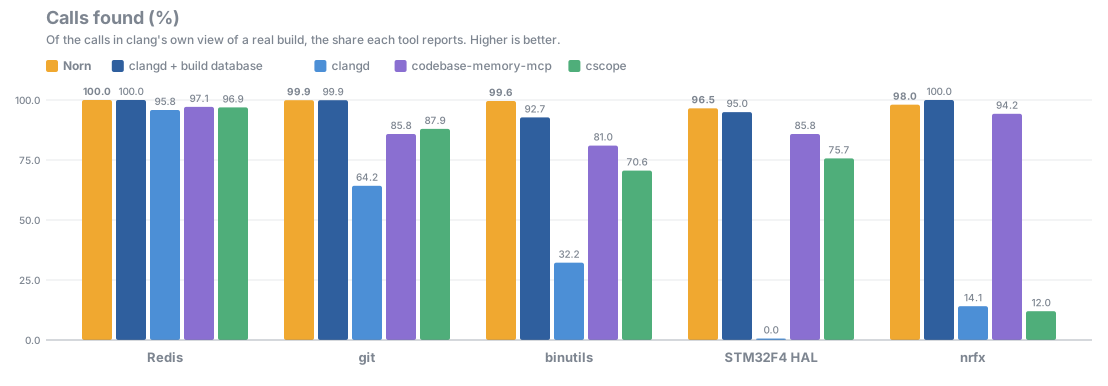
Measured call by call against clang's own view of real builds of public projects.
Private
Everything runs on your machine. No network, no telemetry.
| Norn | clangd | ctags / cscope / GNU Global | |
|---|---|---|---|
| Works without a compilation database | ✅ | ⚠️ less accurate | ✅ |
Knows which #if branches the build compiles | ✅ | ✅ with a database | ❌ |
| Call graph (callers and callees) | ✅ | ✅ | ⚠️ cscope, by name |
| Calls through function pointers | ✅ | ❌ | ❌ |
| Calls generated by macros | ✅ | ✅ with a database | ❌ |
| Index updated as you save | ✅ | ✅ | ❌ re-run |
| Source Insight-style views (Relation, Context) | ✅ | ❌ | ❌ |
Benchmarks
Measured on public projects against clang's own view of a real build of each. Every call a tool reports is checked against the call clang compiles. clangd is measured twice: with each build's own compilation database, and with none. Norn is given nothing.
| Project | Files | Norn | clangd + build database | clangd | cscope |
|---|---|---|---|---|---|
| Redis | 801 | 100.0%0.32 s | 100.0%1.67 s | 95.8%11 s | 96.9%0.26 s |
| git | 919 | 99.9%0.25 s | 99.9%2.40 s | 64.2%32 s | 87.9%0.27 s |
| binutils | 1,622 | 99.6%2.72 s | 92.7%9.72 s | 32.2%16 s | 70.6%1.34 s |
| STM32F4 HAL | 253 | 96.5%0.64 s | 95.0%3.14 s | 0.0%1.14 s | 75.7%0.44 s |
| nrfx | 535 | 98.0%0.84 s | 100.0%1.15 s | 14.1%1.22 s | 12.0%0.28 s |
Each cell: the share of calls found (checked against clang), and below it the time to index. Methods, every figure and tool versions: docs/benchmarks. Every number is produced by bench/compare.py; none is typed in.
Features
Norn is a complete language server: Go to Definition, Find References, Call Hierarchy, signature help, rename, folding, formatting and quick fixes too. Alongside Microsoft's C/C++ extension it becomes IntelliSense's configuration provider instead of competing with it.
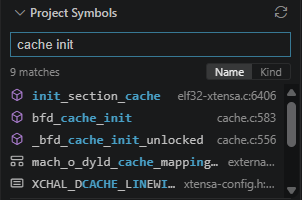
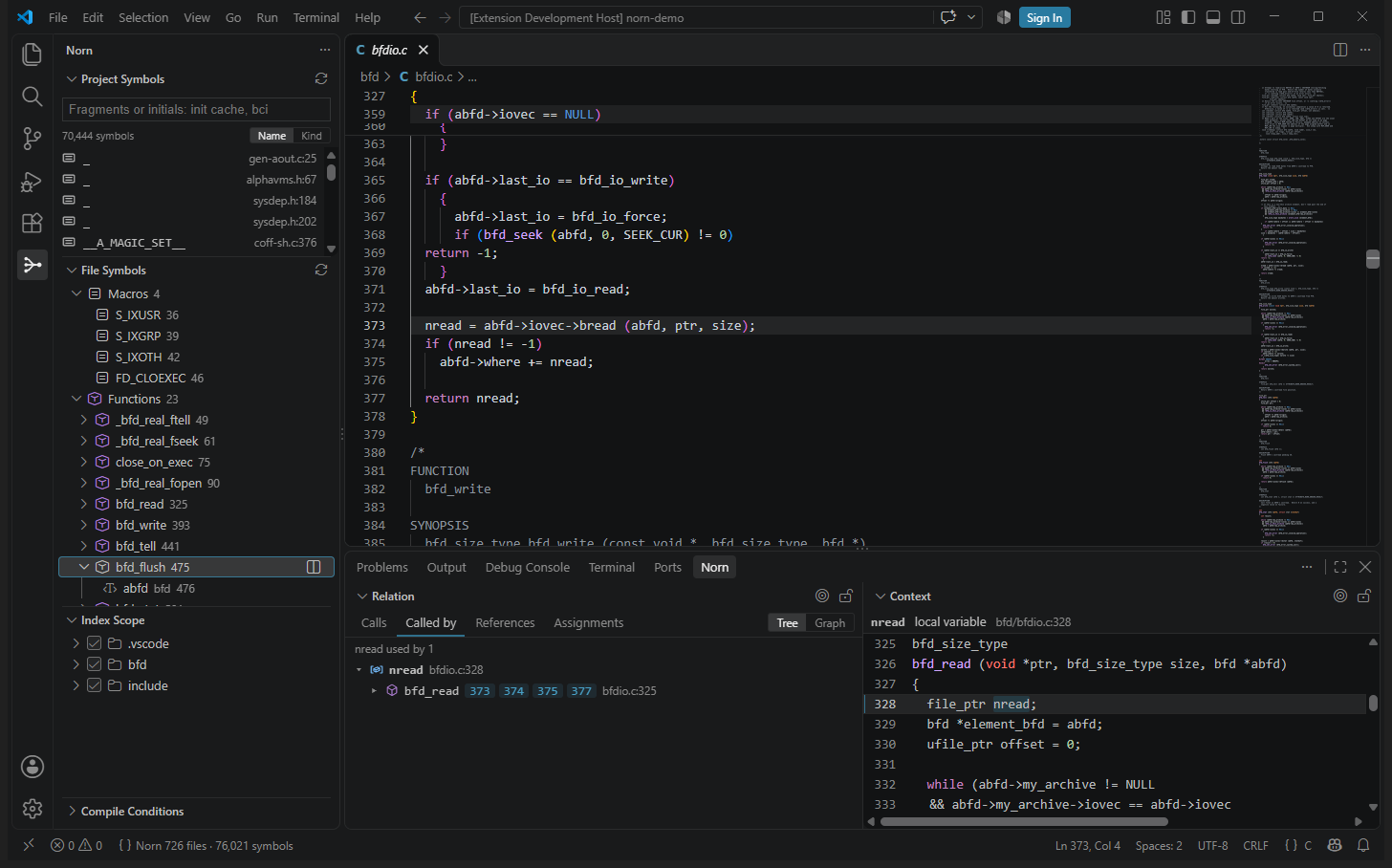
Project Symbols
Fuzzy search over every symbol: fragments in any order, initials, letters in order.
Relation
Callers, callees, references and function-pointer assignments, as a tree or a graph.
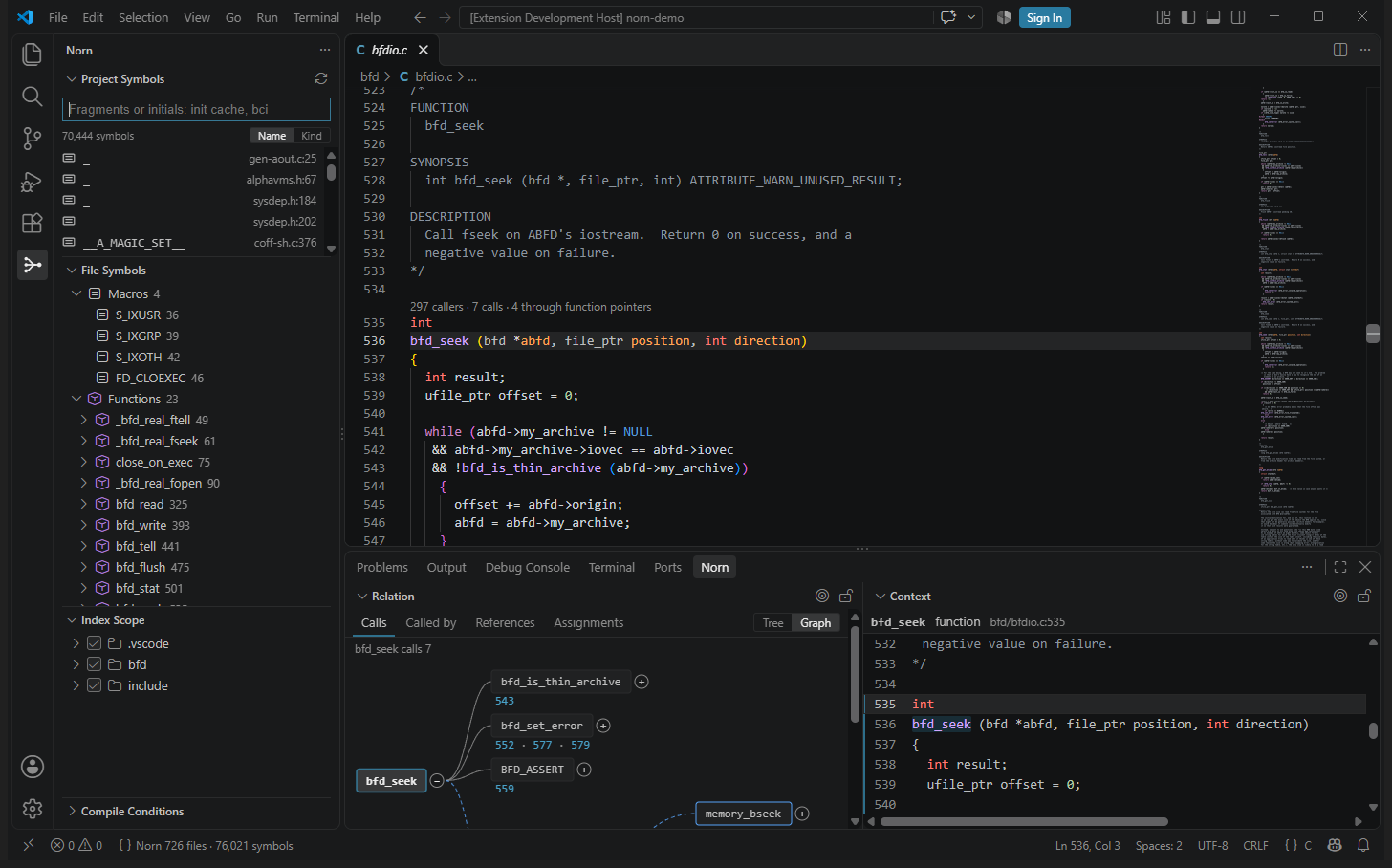
Hover with documentation
A declaration and its doc comment; a macro's value worked out through other macros.
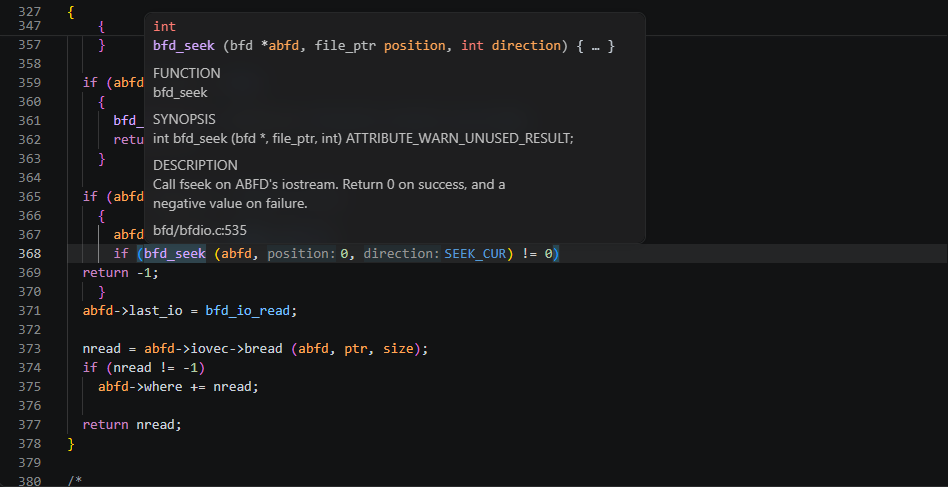
Context
The definition of whatever the cursor is on, beside your code, without leaving your place.
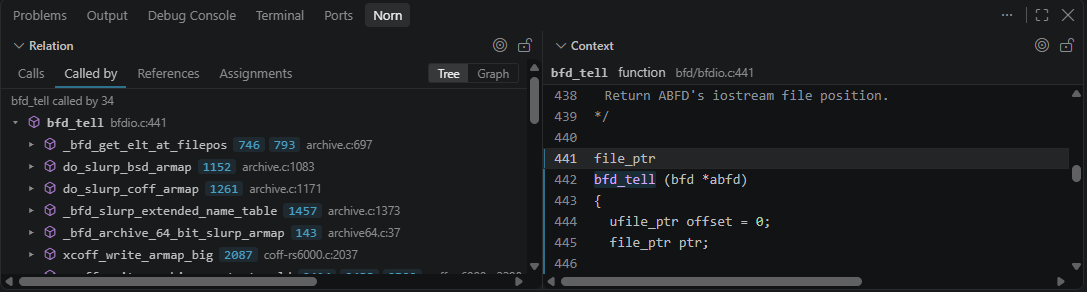
Completion
Members after . and ->, locals, keywords, #include paths, every indexed name.
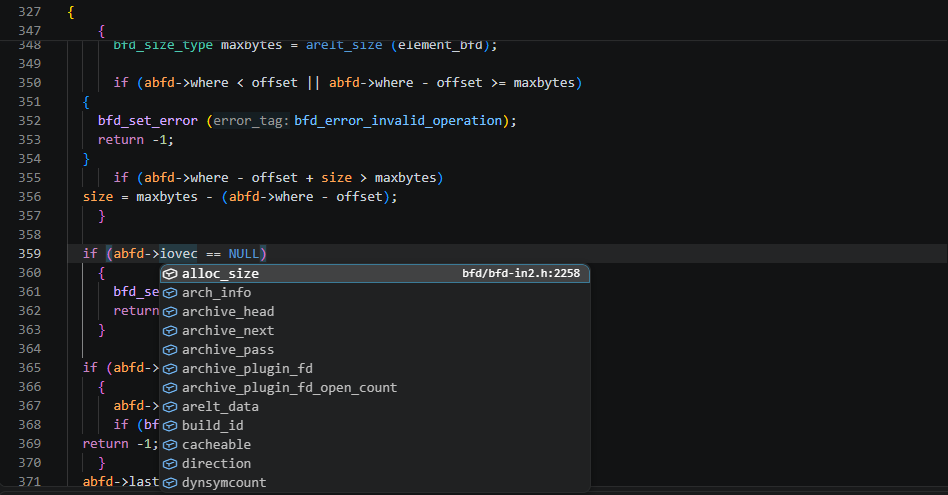
Highlighting and hints
Names coloured by what they are; parameter names at call sites.
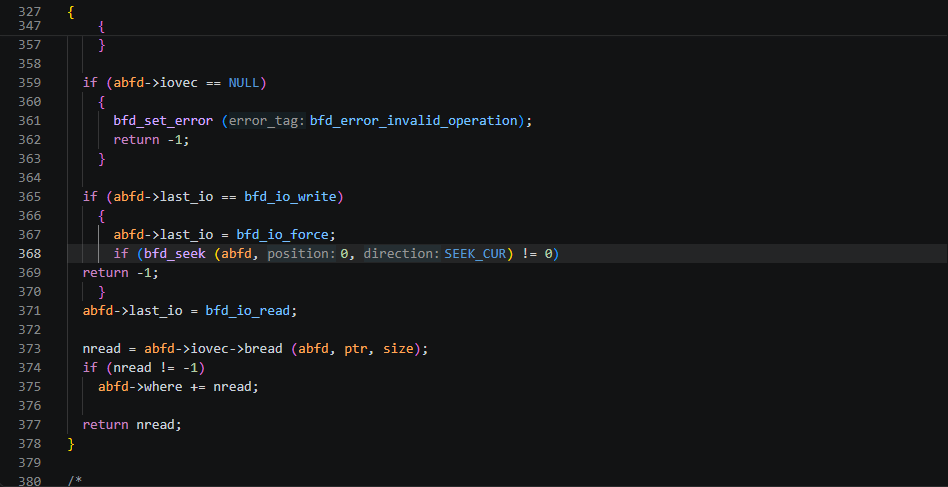
File Symbols with locals
A function's parameters and local variables, and every line that uses one.
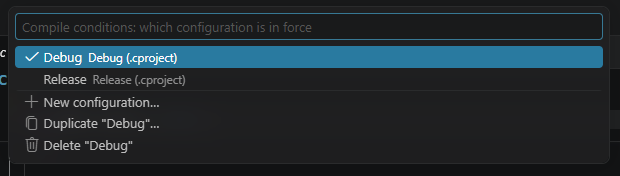
Compile conditions
Configurations read from the build; switch between Debug, Release or one per board.
Get started
- Install Norn — Code Navigation & Symbol Index from the Visual Studio Marketplace, from Open VSX for VSCodium, Cursor and Windsurf, or a
.vsixfrom the releases. - Open a folder with C sources. That is all.
The user guide covers every view and setting. Without VS Code, the same indexer is a command of its own, norn, for the terminal, scripts, CI and other editors: see the command line.
How it works
sources ─► tree-sitter parse ─► facts per file ─► link ─► call graph (CSR) ─► language server
              ▲                                     ▲
   #if worked out from the build's              calls through macros and
   own configuration and the sources            function pointers resolved
Norn is written in Rust. Each file is parsed once after its preprocessor conditions are worked out. The facts of each file are cached by content hash; linking them into a call graph takes milliseconds, and the graph answers a callers query in well under a microsecond.